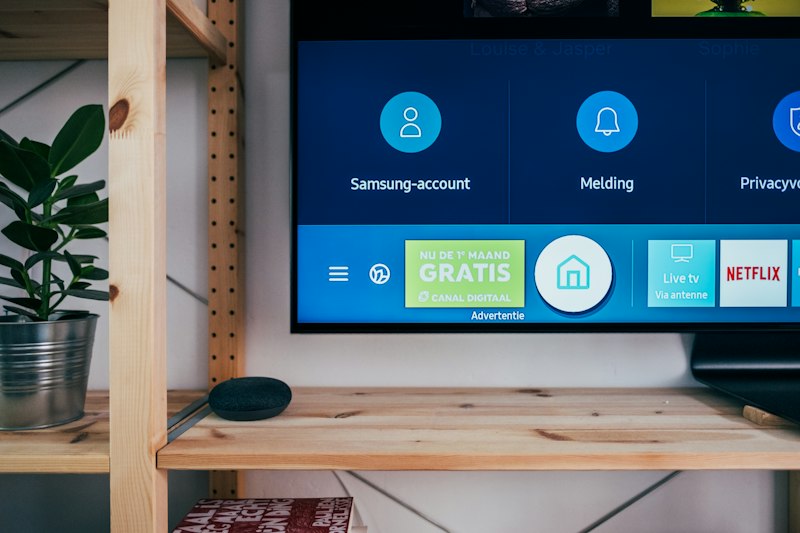
Setting up an IBO Player playlist in 2026 — everything you need to know before you start
Anyone who has spent time in IPTV communities will have come across the name IBO Player more than once. It is one of the most widely installed IPTV apps in the world, available across Android devices, Fire TV Stick, Smart TVs and more. But the app itself is only half the picture. What actually determines the quality of your experience is the IBO Player playlist you connect it to.
This guide focuses entirely on that second half — the playlist. What it is, how it works, what to look for in a good one, how to set it up correctly, and what separates a reliable IBO Player playlist provider from one that will have you frustrated within a week. If you have already installed IBO Player and are now staring at a blank screen wondering what to do next, this is the right place to start.
Why the Playlist Matters More Than the App
IBO Player is, at its core, a media player. On its own, it does nothing. It has no content, no channels, no films — it is simply a sophisticated interface that needs to be pointed at a source of content. That source is the IBO Player playlist. Think of it like a television set without an aerial: the hardware is there, but without the signal, the screen stays dark.
The practical consequence of this is that two people can have the same IBO Player app installed on identical devices and have completely different experiences — because their playlists come from different providers with different server infrastructure, different channel selections and different levels of maintenance. The app gets credit for good experiences and blame for bad ones, but in most cases the playlist is the real variable.
This is why choosing the right IBO Player playlist is not a detail to be handled after the fact. It is the central decision that determines whether your IPTV experience is excellent or disappointing.
The IBO Player playlist connects the app to live channels, films and series — the quality of the playlist determines everything
What an IBO Player Playlist Actually Contains
When a provider sends you an IBO Player playlist, they are giving you access credentials to their streaming servers. Depending on the delivery format, this either comes as an M3U link — a web address that points to a text file listing all the available channels — or as Xtream Codes credentials, which consist of a server address, a username and a password.
Both formats serve the same purpose: they tell IBO Player where to find the content and how to authenticate your access to it. The M3U format is simpler and more universally compatible, but it has limitations. The channel list does not update itself dynamically, the EPG (electronic programme guide) integration is often incomplete, and the app cannot always separate live channels from films and series in a clean, navigable way.
Xtream Codes is the preferred format for most serious IBO Player playlist setups. It creates a live connection to the server, which means the channel list stays current, the EPG updates automatically, and the app can properly categorise live TV, films and series into separate, browsable libraries. If your provider offers both options, Xtream Codes is almost always the better choice.
How to Add a Playlist to IBO Player — Step by Step
The process of loading an IBO Player playlist is the same regardless of which device you are using. Open the app and look for the option to add a new playlist or source. On most versions of IBO Player this is represented by a plus icon or a menu option labelled something along the lines of “Add Playlist” or “Add Account.”
If you are using Xtream Codes — which is recommended — select that option from the available formats. You will be presented with three fields: the server address, your username and your password. These come directly from your provider and should be entered exactly as given, paying careful attention to uppercase and lowercase letters since both fields are case-sensitive. A single wrong character will prevent the playlist from loading, which is the most common cause of the “connection failed” error that new users encounter.
After entering the credentials, tap the confirmation button and give the app a moment to connect. On a good internet connection with a well-maintained server, the channel list typically loads within fifteen to thirty seconds. If it takes significantly longer than this, it usually indicates either a slow connection on your end or a server that is under heavy load on the provider’s end.
ORDER VIA WHATSAPPWhat Devices Support the IBO Player Playlist?
One of the reasons IBO Player has built such a large user base is its broad device compatibility. For a full Fire Stick setup walkthrough, see our IPTV on Fire Stick guide. The same IBO Player playlist credentials work across the full range of devices that the app supports — there is no need for separate accounts for different screens in the same household.
On Amazon Fire TV Stick and Fire TV, IBO Player is installed via the Downloader app since it is not listed in the Amazon App Store directly. The setup process takes around ten minutes for someone doing it for the first time, and considerably less for anyone who has been through it before. Android TV boxes and Smart TVs with Android TV built in can install IBO Player directly from the Play Store, making the process even more straightforward. On Android smartphones and tablets, the same Play Store installation applies.
Smart TVs from Samsung, LG and Sony present a slightly different situation. IBO Player is not always directly available in the respective manufacturer app stores, but in practice most viewers with these televisions either connect a Fire Stick or Android box to get around this limitation, or use the standard IBO Player app through the television’s Android TV interface if the model supports it. The result in all cases is the same: the IBO Player playlist loads and channels become available within minutes of setup.
Which Countries Does the Service Work In?
Because an IBO Player playlist works over a regular internet connection rather than through broadcast infrastructure, geography is essentially irrelevant from a technical standpoint. The service works wherever there is a stable broadband connection — in Europe, the Middle East, North America, Australia and anywhere else. What differs between regions is not whether the service works, but how fast the connection to the servers is.
For subscribers in Western Europe, connection speeds to our servers are typically very good, since the infrastructure is distributed to serve European users effectively. For viewers in North America or Australia, the experience is generally similar, though the physical distance to servers can occasionally introduce slightly higher latency during peak hours. In practice, for video streaming this rarely causes a noticeable problem — buffering is far more commonly caused by the local internet connection than by server distance.
Understanding Live TV and Video on Demand in the IBO Player Playlist
A well-structured IBO Player playlist separates its content into two distinct categories that behave differently within the app. Live TV channels are exactly what the name suggests: real-time broadcasts that run on a fixed schedule, just like conventional television. You tune to a channel and watch whatever is currently airing. The EPG shows what is on now and what comes next, and Catch-Up TV — where available — lets you go back and watch programmes from the past several days that you missed.
Video on Demand, which covers both films and series, works differently. Titles are available whenever you want to watch them, can be paused, rewound and resumed, and are organised by genre, country, year and other categories that make browsing manageable. A good IBO Player playlist VOD library is updated continuously — new cinema releases appear within a day or two of their wider availability, and new series episodes are added on or shortly after their broadcast date.
The practical implication of this distinction matters for how you evaluate a provider. Someone who primarily watches news and sport needs to prioritise the live channel stability and EPG accuracy. Someone who mainly wants films and series needs to focus on VOD library breadth and update frequency. The best providers excel at both, but it is worth understanding which matters most to you before subscribing.

The VOD library in a premium IBO Player playlist — 56,000 channels, 170,000 films and 43,000 series
What a Good IBO Player Playlist Looks Like in Practice
The content available through our IBO Player playlist covers 56,000 live channels. For a comparison of providers, see our best IPTV provider guide. from across the world, organised into clearly navigable categories by country and genre. Sports channels include the full beIN Sports Arabic package, Sky Sports across all channels, TNT Sports, DAZN, ESPN, Eurosport and dozens of regional sports networks. Entertainment channels span the full UK free-to-air lineup, US cable networks, French, German, Italian, Spanish and Arabic packages, and children’s channels from multiple broadcasters.
The film library contains over 170,000 titles. This is not a padded count — the library genuinely covers current theatrical releases, catalogue classics, international cinema, documentaries and genre-specific collections in multiple languages. New films are added within 24 to 72 hours of their public release date. The 43,000 series in the library are organised by complete show, meaning when you find a series, all available seasons and episodes are in one place.
The EPG covers all major channels with a 7-day forward-looking guide and Catch-Up TV going back 7 days, allowing you to watch anything you missed without needing to set up any recording system. These features are only available when connecting via Xtream Codes rather than M3U — another reason to use that format if your provider supports it.
How to Recognise a Well-Maintained IBO Player Playlist
The IPTV market contains a wide range of providers at varying levels of quality, and it is not always easy to tell from the outside which is which before you have paid for a subscription. There are, however, a few reliable indicators of a well-maintained IBO Player playlist that you can look for.
The first is how recently the film and series library has been updated. A catalogue that has not had new titles added in weeks is a sign that the provider has stopped actively maintaining the service. A well-run provider adds new content continuously, and the most recent additions should be titles from the past few days, not the past few months.
The second is stability during peak viewing times. Any server can stream reliably at 3am on a Tuesday when almost nobody is watching. The real test is whether the service stays stable during a Champions League match on a Wednesday evening, or during a popular drama series premiere when viewership spikes. This is harder to assess from the outside, which is why a free trial period — tested specifically during live sport — is the most reliable way to evaluate any provider.
The third indicator is the speed and quality of customer support. A provider who responds to WhatsApp messages within minutes when something is not working is operating at a fundamentally different level than one who takes days to acknowledge a technical problem.
ACTIVATE VIA WHATSAPP NOWSubscription Plans and Pricing
The IBO Player playlist is available across four subscription durations. All plans give access to the same content — 56,000 live channels, 170,000 films and 43,000 series — with the longer plans offering progressively better value per month.
The one-month plan at €15 is designed for viewers who want to explore the service properly before committing to a longer period. One month gives you enough time to test the channel stability across different days and times, browse the VOD library at length, and form a realistic view of whether the service fits your viewing habits.
The three-month plan at €25 — which works out to roughly €8.33 per month — is well suited to viewers who have already had a chance to try the service and want to commit for a reasonable period without locking in for a full year. It covers an entire football season from start to finish, or a full quarter of regular series programming.
The six-month plan at €35 reduces the monthly cost to under €6, making it meaningfully cheaper than the monthly plan while still keeping the annual commitment at bay. For most viewers who are confident the service works well for them, this represents a sensible balance between value and flexibility.
The twelve-month plan at €49.99 — approximately €4.17 per month — is the plan that makes the most financial sense for anyone who watches IPTV regularly. It costs roughly the same as one month of a basic cable subscription and covers an entire year of 56,000 channels, a continuously updated film library and the full series catalogue. Most subscribers who use the service daily choose this plan from the second year onward.
Typical Setup Problems and How to Solve Them
The most common issue new users encounter when loading their IBO Player playlist for the first time is a connection error, and in the overwhelming majority of cases the cause is a typo in the credentials. Server addresses, usernames and passwords are long strings of characters with no obvious pattern, and entering them manually via a television remote or Fire Stick interface is genuinely error-prone. The simplest solution is to copy and paste the credentials directly from the WhatsApp message in which they were sent, rather than transcribing them by hand.
If the credentials are correct but the playlist still does not load, the next thing to check is the internet connection. IBO Player requires a stable connection — not necessarily a fast one, but a consistent one. Connections that drop and reconnect frequently, or that have very high latency, can prevent the initial handshake with the server from completing successfully. Testing on a wired connection, or moving physically closer to the Wi-Fi router, often resolves this immediately.
Occasional buffering during playback, once the playlist is loaded, is a separate issue from connection errors. Mild buffering during peak hours — evenings, weekends, major sporting events — is normal for any streaming service and usually resolves on its own within a few seconds. Persistent buffering at all times of day typically points to an internet connection that is either too slow or too unstable for the quality tier being requested. Switching from a 4K stream to a Full HD version of the same channel usually resolves this immediately.
The IBO Player Playlist in a Multi-Person Household
One consideration that comes up regularly in conversations about the IBO Player playlist is how it works when more than one person in a household wants to watch on different devices simultaneously. The answer depends on the subscription type. A standard single-connection subscription covers one simultaneous stream — meaning one device can be actively playing at any given time, but the credentials can be moved between devices freely. For households where two people want to watch different things on different screens at the same time, a multi-connection package is the appropriate option. This is worth raising directly in the WhatsApp conversation when ordering, since the pricing and availability of multi-connection packages varies.
Frequently Asked Questions
Why use an IBO Player playlist rather than a standalone streaming service?
Dedicated streaming services like Netflix or Amazon Prime offer licensed content within a defined catalogue. An IBO Player playlist from a premium provider gives you access to live television — sports, news, entertainment — plus a VOD library that is typically larger than any individual streaming service, all through one subscription. The two types of services serve different primary needs, though for many viewers an IPTV subscription effectively replaces several streaming subscriptions simultaneously.
Is a fast internet connection required?
Speed is less important than stability. A 15 Mbps connection that stays consistent is better for streaming than a 100 Mbps connection that drops and reconnects regularly. For Full HD viewing, 15 Mbps is comfortably sufficient. For 4K, 25 to 30 Mbps is the realistic minimum. Most modern European broadband packages easily exceed both thresholds.
What happens when a subscription expires?
When an IBO Player playlist subscription reaches its end date, the credentials stop working and the app returns to a blank screen. Renewing simply restores access — there is no need to reconfigure anything. Contact us via WhatsApp before the expiry date and renewal is processed within minutes.
Can the device be changed during the subscription period?
Yes. The credentials that make up your IBO Player playlist are not locked to a specific device. You can enter the same credentials on a new device, a replacement device, or simply a different device you want to try. The only limitation is simultaneous connections — if your subscription covers one stream at a time, you cannot watch on two devices at once.
Is technical knowledge required for setup?
No. The setup process consists of installing an app, opening it, and entering three pieces of information. Anyone who is comfortable installing apps on their phone or television can complete it without any technical background. Our support team is available via WhatsApp throughout the process if anything is unclear.
What should I do if nothing appears after activation?
If IBO Player shows a blank screen after credentials have been entered, the first thing to check is whether the playlist has actually been added — it is possible to activate an account without completing the playlist setup within the app. If the playlist has been added and the screen is still blank, double-check the credentials for any typos, confirm the internet connection is working, and contact support via WhatsApp. In our experience, this specific issue is resolved within a few minutes in the vast majority of cases.
Final Thoughts on the IBO Player Playlist
If you are looking for the Pro version, our IBO Player Pro playlist guide covers the additional features in detail. The IBO Player playlist is, in the end, a straightforward product that does exactly what it promises when the underlying infrastructure is solid. You install an app, you enter credentials, you get access to an enormous range of content across live channels and on-demand libraries. The setup takes minutes. The ongoing management requires nothing beyond occasional renewal.
What makes the difference between a good experience and a frustrating one is almost entirely the quality of the provider behind the playlist. Server stability under load, consistent content updates, accurate EPG data and responsive support are not things that can be assessed from a promotional description — they can only be experienced directly. That is why the free trial exists: to give you the opportunity to form your own view before making any financial commitment.
If you have been considering an IBO Player playlist and want to see what the service looks like in practice on your own device, contact us via WhatsApp and we will have a trial account active for you within minutes.
CONTACT US ON WHATSAPP